This moviemaker has been created with resources from the British Council. Our thanks to them.
Monday, 26 April 2010

Moviemaker tutorial
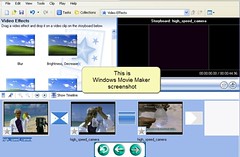
Here you have Isidro Vidal's moviemaker tutorials: They are very visual and clear.
Importing pictures and putting them in the time line
Video transitions
Video effects
This and other tutorials and resources may be found at Isidro Vidal's wiki
Anyway if you simply write his name on google you'll see that he has got lots of blogs and wikis! So our thanks to him for being so generous and nice to share so many things with all of us.
Tuesday, 20 April 2010
PowerPoint to YouTube using Windows Movie Maker
I think you'll like this tutorial. It shows us an easy free way to take power point presentation to you tube
How to upload PowerPoint to You Tube
I've seen that some of you have uploaded power point presentation to your blogs but you've lost the sound and you feel miserable about it!. The only thing -as far as I know!- we may do to avoind this problem is uploading power points to you tube. Here is a tutorial to use a converter called wondershare. However, I don't think it's free!
How to upload PowerPoint to You Tube
View more presentations from gaochuhan.
Monday, 12 April 2010
Friday, 9 April 2010
Learning from Garatu course285

Here is a link to Garatu course 285 on how to use the web to improve/develop oral skills. It is very well done and there are tutorials about how to use audacity, divshare, moviemaker, podomatic, voxopop... everything neat and clear! So thanks a lot to those advisors who have carried out the course!
Tuesday, 6 April 2010
Subscribe to:
Posts (Atom)
-
Many videos to work on: https://www.kizphonics.com/materials/phonics-listening/ Programs to work on phonetics: https://www.kizphonics...
-
Watch the video. Then, complete your own quiz for your unit. https://labur.eus/tobe1
-
 How do you like this picture edited with google docs? We'll practice doing it next seminar!
